

Quick Comparison
| Tool | Learning Curve | Speed to Launch | Best For | Pricing |
|---|---|---|---|---|
| Elementor | ★★☆☆☆Steep | Hours/Days | Full WordPress sites | Pro from $49/yr Free plan available |
| Wix | ★★★★☆Easy | Hours | General websites | From $17/mo Free plan available |
| Squarespace | ★★★☆☆Medium | Hours | Portfolios & creatives | From $16/mo |
| Webflow | ★★☆☆☆Steep | Days | Custom marketing sites | From $14/mo Free plan available |
| Framer | ★★☆☆☆Difficult | Hours | Animated marketing sites | From $10/mo Free plan available |
| Durable | ★★★★★Easy | Minutes | Local service businesses | From $12/mo |
| Lovable | ★★★☆☆Medium | Minutes | MVPs/Prototypes | Pro $25/mo Free plan available |
| Base44 | ★★★★☆Easy | Minutes | Internal tools | From $16/mo Free plan available |
| Webjourney | ★★★★☆Easy | Minutes | Landing pages | Pro $25/mo Free plan available |
| Sitecore | ★☆☆☆☆Steep | Weeks/Months | Enterprise DXP | From ~$60K/yr (quote) |
| OutSystems | ★★★☆☆Medium | Days/Weeks | Enterprise apps | From ~$36K/yr Free personal edition |
1. Elementor
WordPress Page Builder
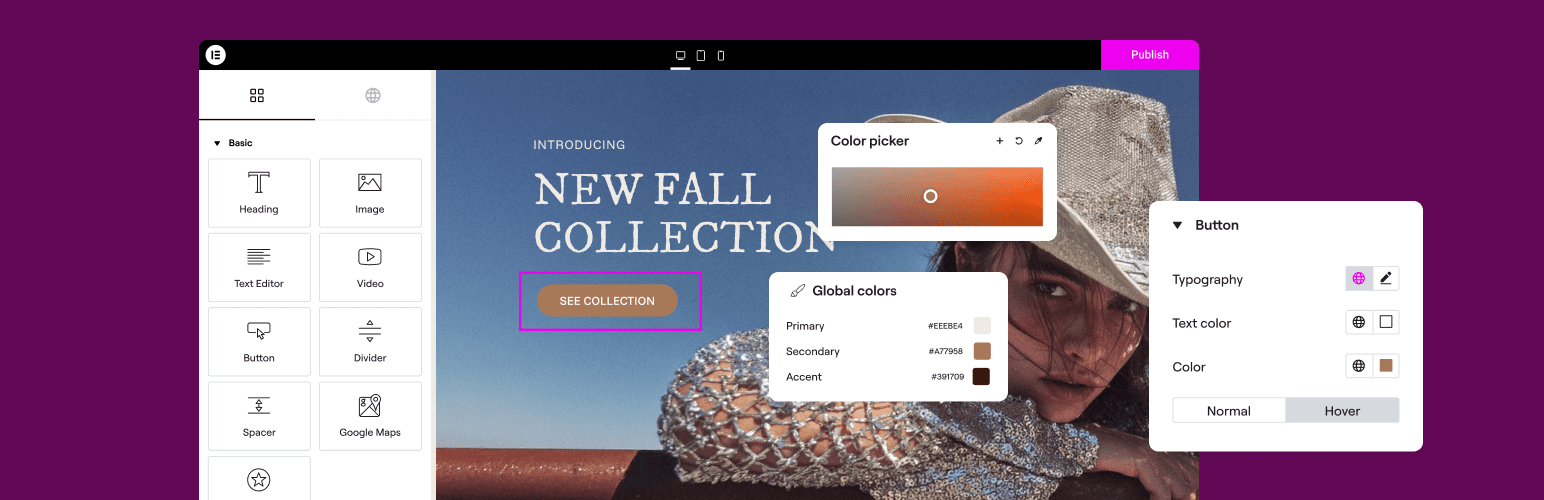
Elementor is the most popular WordPress page builder, powering over 18 million websites. It offers unparalleled design freedom—if you're willing to invest the time to learn it.
Pros
- Massive community (18M+ websites built)
- 300+ templates, 100+ widgets
- Theme builder, popup builder, motion effects
- AI Copilot (2025) for content/images
- Full design freedom with patience
Cons
- Steep learning curve (2-3 hours to basics, much longer for mastery)
- WordPress-only (requires hosting setup)
- WordPress is inherently slow compared to modern static site generators
- Can slow down websites on cheap hosting
- Frequent updates sometimes break things
- Users complain about "padding/margin controls" complexity
Best for: WordPress power users, agencies, those who want granular control
Pricing: Free version available. Pro from $49/year (~$4/mo) for 1 site, up to $399/year for 1,000 sites
2. Wix
All-in-One Website Builder
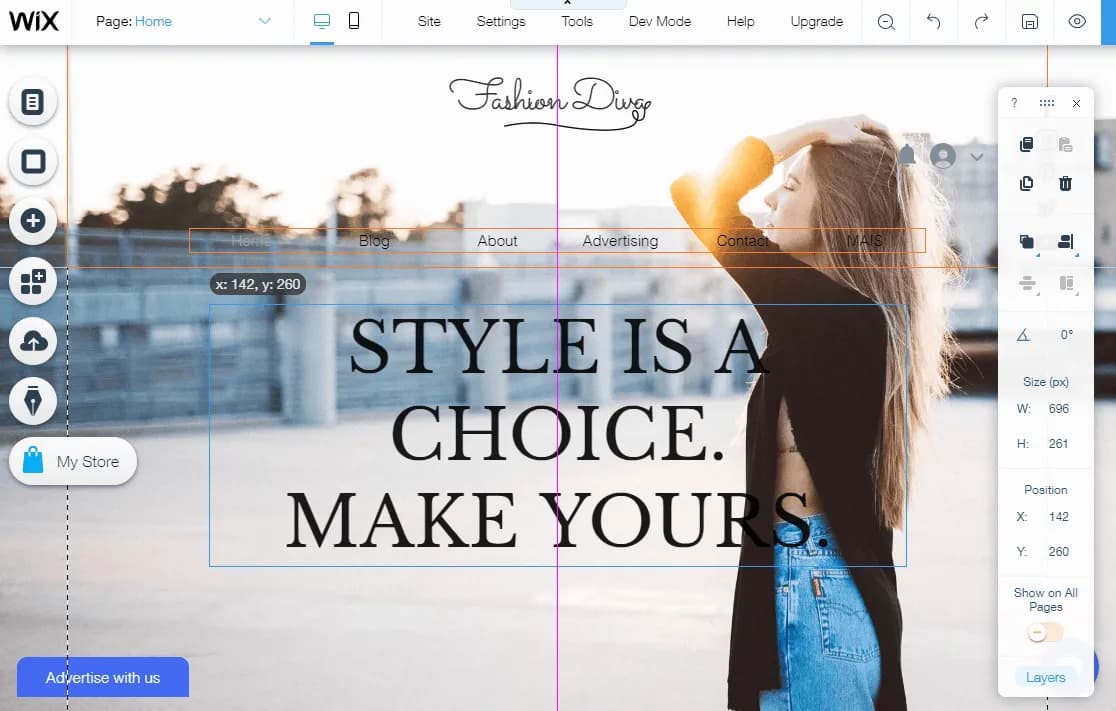
Wix is the go-to choice for beginners who want to build a website without any technical knowledge. With 2,000+ templates and a truly intuitive drag-and-drop editor, it's hard to beat for simplicity.
Pros
- Easiest drag-and-drop editor for beginners
- 2,000+ free templates
- 800+ third-party apps
- 24/7 support
- New AI tools: Business Launcher (2025), Wixel (May 2025)
- Highly reliable (no major downtime reported)
Cons
- Can't switch templates after publishing (start over!)
- More expensive than competitors at higher tiers
- Less scalable for large businesses
- 50,000 product limit for e-commerce
- Template lock-in frustrates users who want changes later
Best for: Small businesses, portfolios, bloggers, beginners
Pricing: Free plan available. Light $17/mo, Core $29/mo, Business $39/mo, Business Elite $159/mo (annual billing)
3. Squarespace
Design-First Website Builder
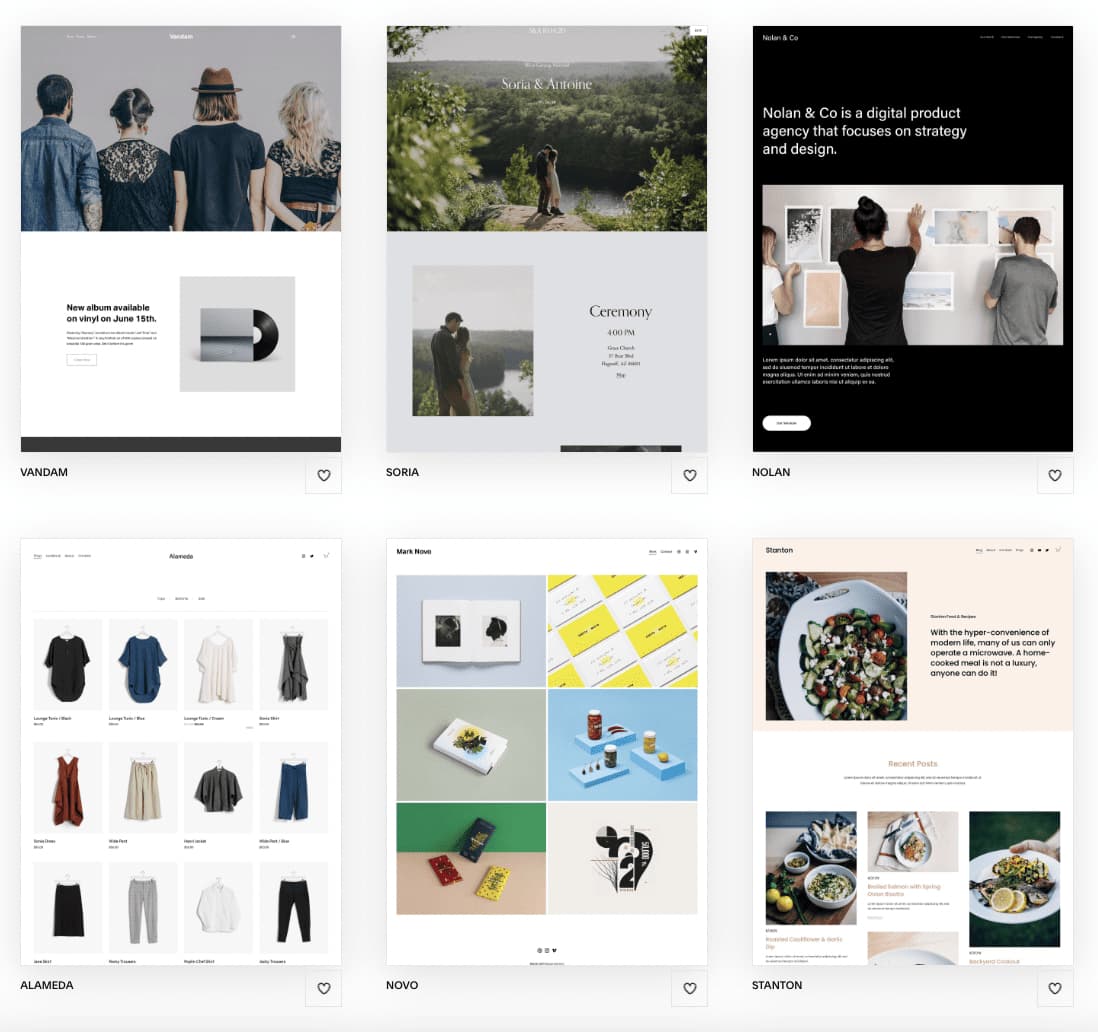
Squarespace is a polished, design-forward website builder known for its stunning templates and all-in-one platform that includes hosting, domains, and e-commerce. It offers over 180 professionally designed templates and a Fluid Engine drag-and-drop editor that lets users create visually impressive websites without touching code.
Pros
- Award-winning templates—widely regarded as the best-looking in the industry
- All-in-one: hosting, SSL, domains, analytics, and e-commerce bundled together
- Powerful built-in e-commerce with unlimited products on any plan
- Blueprint AI for rapid site setup and layout suggestions
- Strong blogging tools with multi-author support and podcast hosting
- Reliable hosting with 24/7 uptime monitoring and built-in SSL
Cons
- No free plan—only a 14-day trial
- Limited third-party integrations (~45 extensions vs hundreds on Wix)
- Editor requires excessive clicks; no undo functionality
- Custom CSS/JS unavailable on the Basic plan
- Expensive at higher tiers ($99-$139/mo for Advanced)
- Built-in site search is unreliable; only one level of sub-menus
Best for: Creatives, photographers, artists, and small businesses that prioritize aesthetics
Pricing: Basic $16/mo, Core $23/mo, Plus $39/mo, Advanced $99/mo (annual billing). No free plan
4. Webflow
Visual Web Development Platform
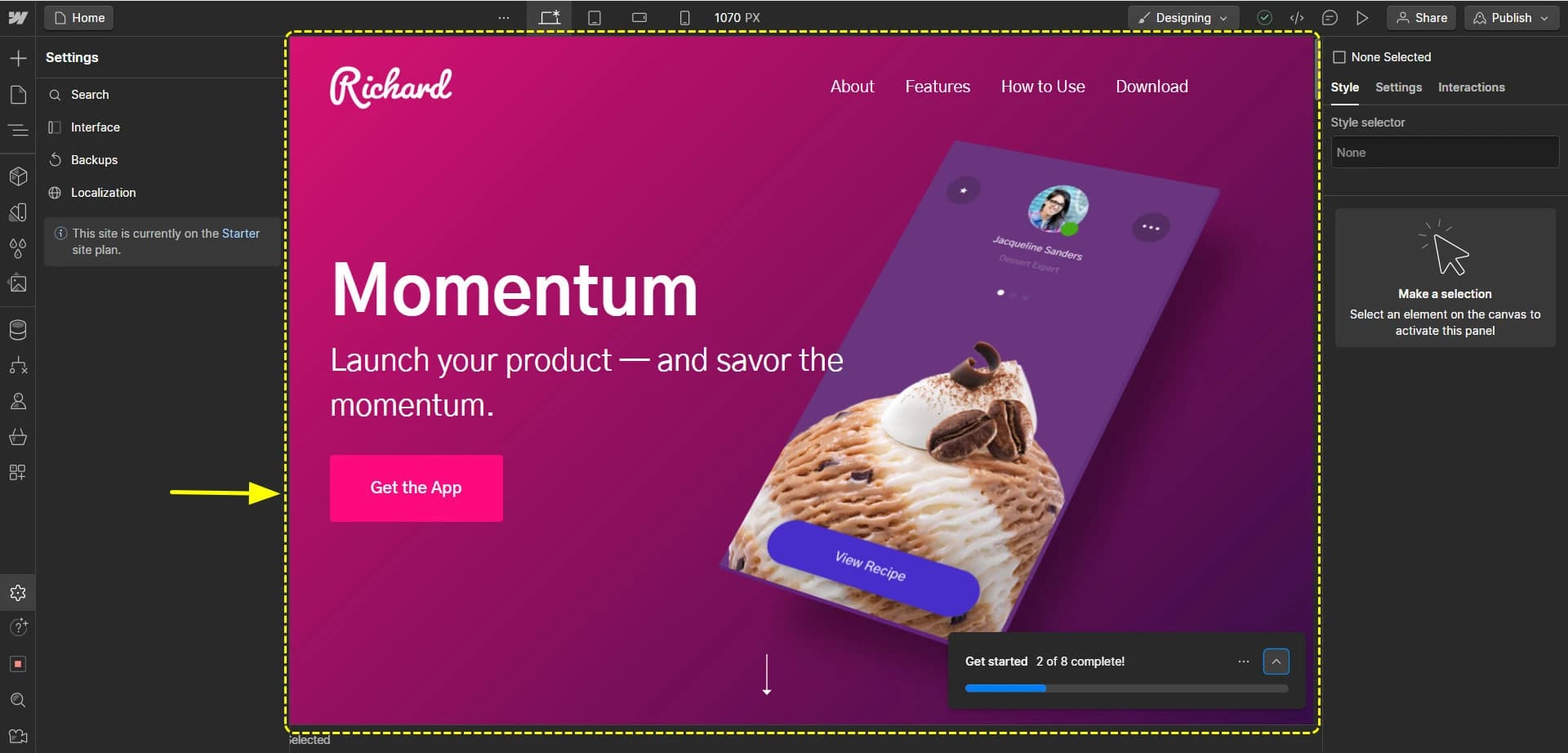
Webflow is a professional-grade visual web development platform that generates clean, production-ready code while giving designers pixel-perfect control. It bridges the gap between design tools and code, offering an integrated CMS and enterprise-grade hosting—ideal for agencies and design-forward brands.
Pros
- Pixel-perfect design control with visual CSS editing (flexbox, grid, breakpoints)
- Clean, exportable HTML/CSS/JS code output
- Integrated schema-based CMS for dynamic content
- Enterprise-grade hosting on AWS/Fastly CDN with automatic SSL
- 7,000+ professionally designed templates
- Webflow University provides excellent learning resources
Cons
- Steep learning curve—requires understanding of CSS fundamentals
- Confusing pricing (site plans + workspace seats + ecommerce plans)
- Limited ecommerce compared to Shopify (no multi-currency, no subscriptions)
- No template switching after you start building
- Far fewer third-party plugins than WordPress
- Email-only support with 24-48 hour response times
Best for: Agencies, freelance designers, and brands needing custom marketing sites with CMS
Pricing: Free starter. Basic $14/mo, CMS $23/mo, Business $39/mo (annual). Ecommerce from $29/mo extra
5. Framer
Design-First Website Builder
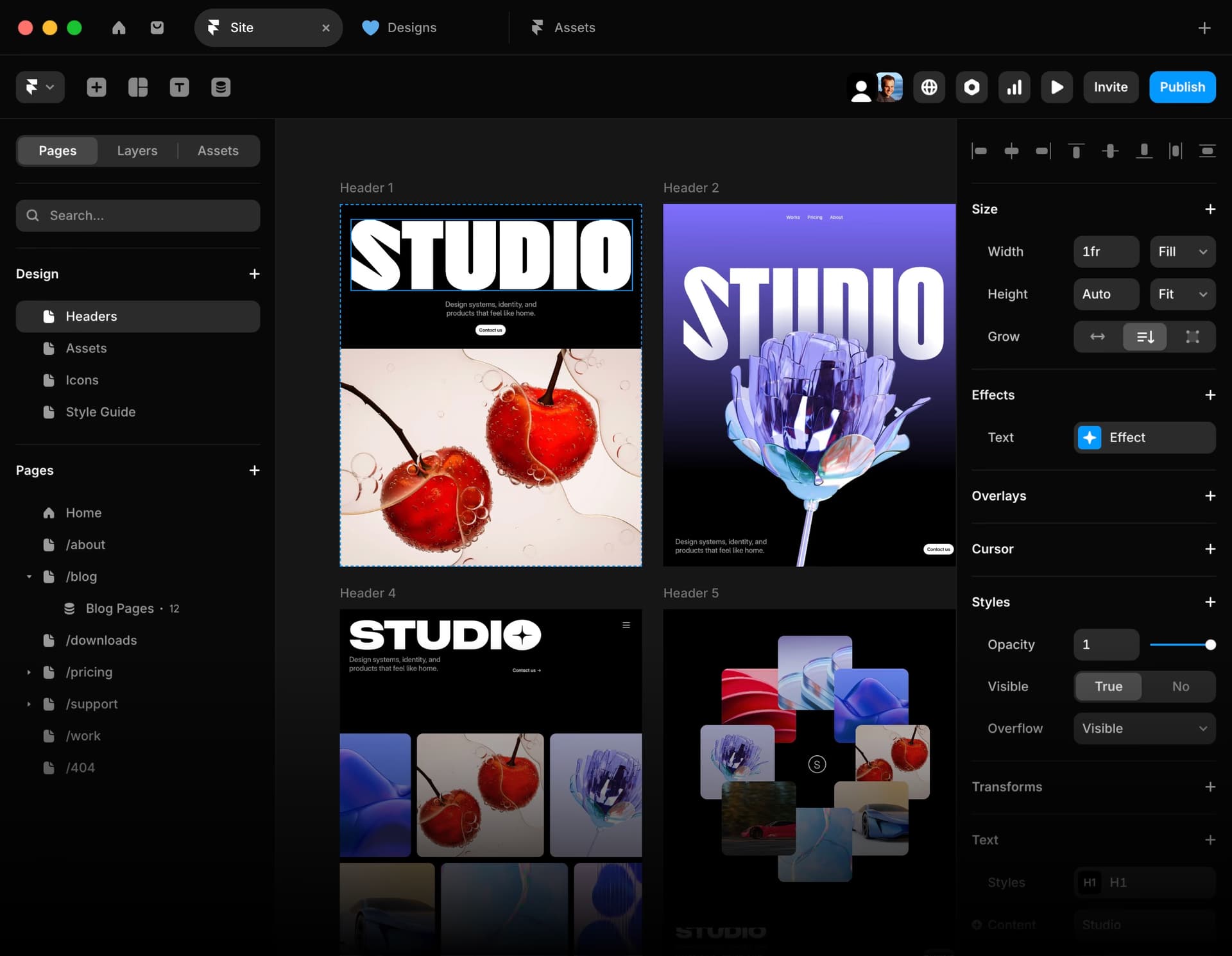
Framer started as a prototyping tool for designers and evolved into a full website builder. It's known for beautiful animations, designer-friendly interface, and high-quality output—but comes with a steeper learning curve and higher price point.
Pros
- Beautiful, polished designs with smooth animations
- Component-based design system
- Fast static site output (great Core Web Vitals)
- CMS built-in for blogs and dynamic content
- Strong community of designers sharing templates
- Figma-like interface familiar to designers
Cons
- Steep learning curve for non-designers
- Time-consuming to build from scratch (hours to days)
- Limited e-commerce capabilities
- Can be overkill for simple landing pages
- Requires design skills to get good results
- Additional editor seats cost $20-$40/editor
Best for: Designers, creative agencies, marketing teams who want pixel-perfect sites with animations
Pricing: Free plan available. Basic $10/mo, Pro $30/mo, Scale $100/mo (annual). Per site
6. Durable
AI Website Builder for Small Business
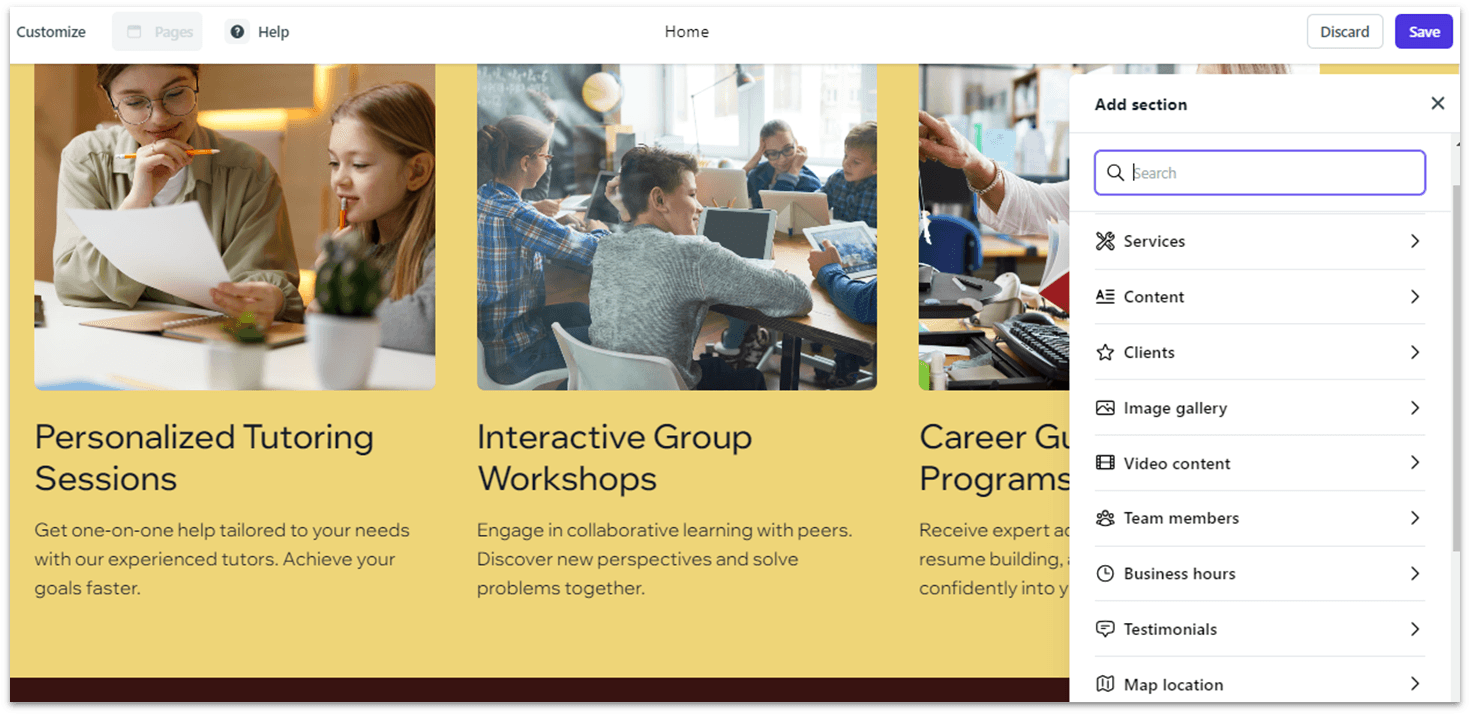
Durable is an AI-powered website builder that generates a complete, professional-looking website in under 30 seconds. Beyond website creation, it bundles CRM, invoicing, blog management, and AI-generated marketing content into a single affordable platform—purpose-built for solopreneurs and local service businesses.
Pros
- Fastest site generation available—complete website in under 30 seconds
- All-in-one business suite: CRM, invoicing, blog, AI marketing assistant
- No technical skills required at all
- Affordable entry point starting at $12/mo
- Built-in SSL, DDoS protection, firewall, and global CDN
- AI generates blog posts, ad copy, social media content, and logos
Cons
- Very limited design customization—regeneration-based, not true drag-and-drop
- No real e-commerce support (no product catalogs or shopping carts)
- Few third-party integrations compared to Wix or Squarespace
- AI-generated content can be generic and needs manual review
- No code export—if you leave, you lose everything
- Not suitable for complex multi-page sites or significant growth
Best for: Solopreneurs and local service businesses (cleaners, coaches, consultants) who need to get online fast
Pricing: Starter $12/mo, Business $20/mo, Scale $69/mo (annual billing). No free plan
7. Lovable
AI App Builder
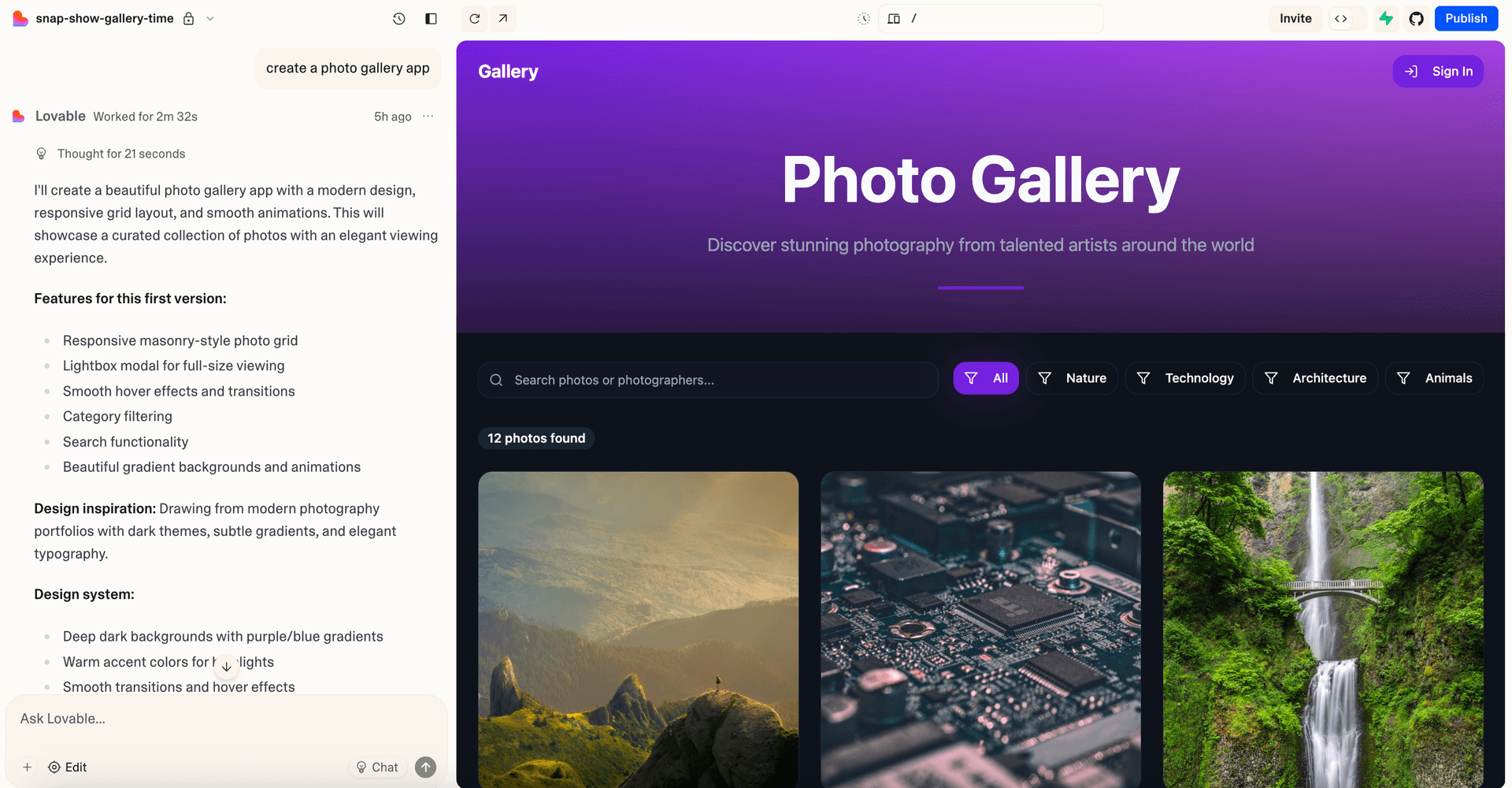
Lovable (formerly GPT Engineer) represents a new wave of AI-first builders. You describe what you want in plain English, and it generates a working prototype. Great for MVPs, but the credit system can be frustrating.
Pros
- 20x faster than traditional coding for prototypes
- Chat-based interface (just describe what you want)
- Clean, conversion-optimized designs
- You own the code (can export to GitHub)
- Great for MVPs and demos
Cons
- "Every prompt, every edit, every bug fix eats credits"
- "Looping" bug problem: AI gets stuck trying to fix issues, burning credits
- Only gets you 70% there—last 30% is painful
- Not production-ready for real customers
- Security and data handling feels immature
Best for: Founders validating concepts, quick prototypes, demos for investors
Pricing: Free (5 daily credits). Pro $25/mo (~150 credits/mo), Business $50/mo (+ SSO, templates)
8. Base44
AI No-Code Platform
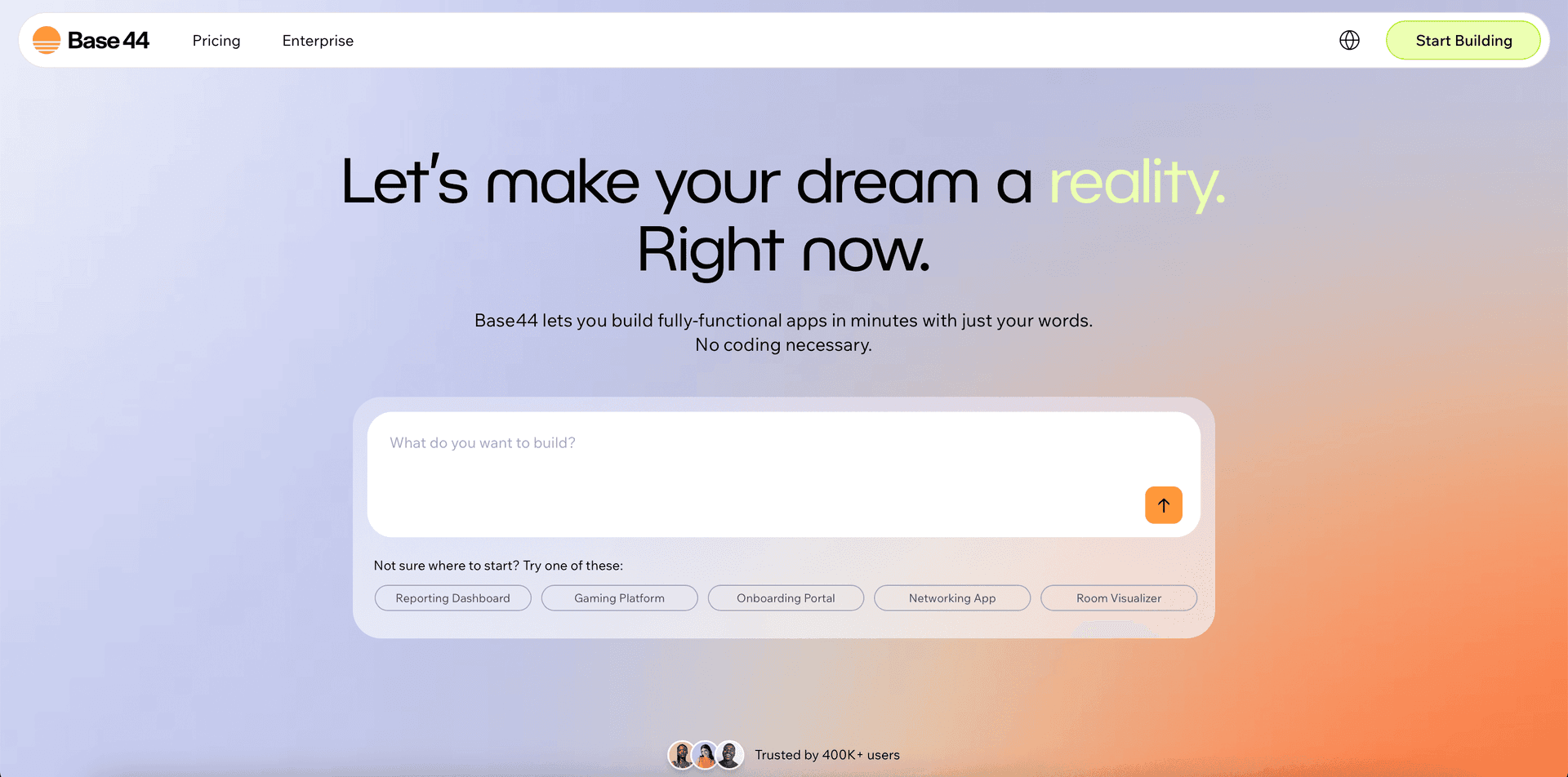
Base44 (acquired by Wix for $80M in 2025) is an all-in-one platform that includes database, authentication, and hosting. It's particularly good for internal tools and simple portals, though design flexibility is limited.
Pros
- All-in-one: UI, database, auth, hosting built-in
- No Supabase setup needed (unlike Lovable)
- Beginner-friendly
- Native integrations (Stripe, Notion, Slack, etc.)
- 250,000+ users by mid-2025
- Acquired by Wix for $80M
Cons
- Vendor lock-in: unclear how to migrate database if you leave
- Security incident (July 2025): exposed app_id vulnerability
- Formulaic, unpolished designs
- Buggy behaviors for advanced logic
- Limited visual control
Best for: Internal tools, simple portals, quick prototypes
Pricing: Free (25 msg credits). Starter $16/mo, Builder $40/mo, Pro $80/mo, Elite $160/mo (annual)
9. Webjourney
AI Landing Page Generator
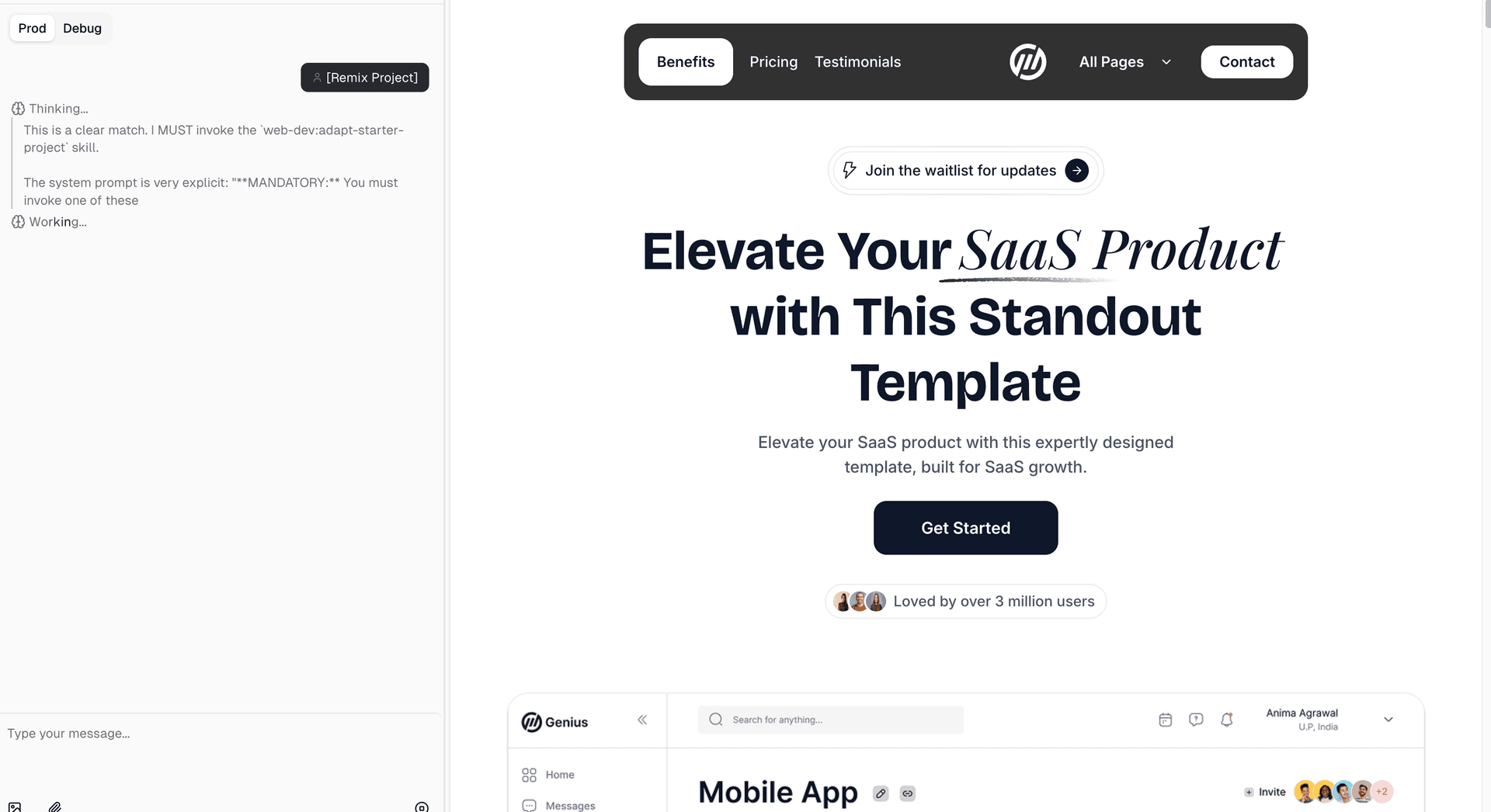
Webjourney takes a different approach: instead of asking you to design from scratch, it extracts your existing business content and generates professional landing pages automatically. Paste your URL, and get 3 design variants in minutes.
Pros
- Free access to Magic UI/Framer quality templates
- Designs that build trust: Automatically incorporates social proof, testimonials, trust badges, and professional layouts that convert visitors into customers
- Cheaper than Magic UI + Cursor for landing page creation
- Faster than Framer for getting a polished landing page live
- Zero learning curve: Just paste a URL, get landing pages in minutes
- AI does the heavy lifting: Extracts your business info, images, and testimonials, analyzes your logo for colors and typography, then generates 3 design variants (Friendly, Trust-Heavy, Bold)
- Mobile-optimized output with sticky CTAs
Cons
- Focused on landing pages (not full websites or apps)
- Newer platform (smaller community than Elementor/Wix)
Best for: Small business owners who need a high-converting landing page fast, agencies creating client landing pages, anyone who wants professional designs without design skills
Pricing: Free tier (10 credits on signup). Pro $25/mo (25 monthly credits, custom domain, downloads)
10. Sitecore
Enterprise Digital Experience Platform
Sitecore is a premium enterprise digital experience platform (DXP) combining content management, personalization, and marketing automation. Its flagship XM Cloud is a cloud-native SaaS CMS built on MACH principles, supporting Next.js and Vercel deployment—designed for large organizations managing multi-brand, multi-region digital experiences.
Pros
- Powerful personalization engine with built-in CDP and real-time targeting
- Cloud-native SaaS (XM Cloud)—hosting, scaling, and upgrades fully managed
- Composable, headless architecture (MACH-aligned) for best-of-breed flexibility
- Enterprise-grade multi-brand, multi-region, multi-language content governance
- XM Cloud Page Builder is 4-10x faster than the legacy Experience Editor
- Forrester TEI study reported 371% ROI with <6-month payback
Cons
- Very high total cost of ownership—prohibitive for SMBs
- Steep learning curve for both developers and content authors
- Requires certified implementation partners (adds cost and dependency)
- Overkill for simple websites or small teams
- Complex migration from legacy Sitecore or other CMS platforms
- Deep product integration can create significant vendor lock-in
Best for: Large enterprises managing complex, multi-brand, multi-region digital experiences with deep personalization
Pricing: Quote-based. ~$60K-$80K+/yr license, $75K-$300K+ implementation. Total first-year cost often low-to-mid six figures
11. OutSystems
Enterprise AI-Powered Low-Code Platform
OutSystems is a high-performance, enterprise-grade low-code platform for building complex web and mobile applications at scale. It combines visual development with full-stack capabilities, built-in DevOps, and AI-assisted development—ideal for large organizations accelerating digital transformation.
Pros
- Extremely rapid development—up to 10x faster than traditional coding
- Built-in DevOps with one-click deployment (CI/CD handled automatically)
- Strong integration with REST APIs, SOAP, and legacy enterprise systems
- Enterprise-grade scalability and security for mission-critical apps
- Excellent support and developer community
- AI-assisted development for code suggestions and workflow automation
Cons
- Very expensive—starting at $36K/yr, averaging ~$220K/yr for enterprise
- Opaque, quote-based pricing makes budgeting difficult
- Limited customization for advanced UI and version control needs
- Significant vendor lock-in—migration to other tech is costly
- Shortage of experienced OutSystems developers in the market
- Performance issues reported with very large or complex applications
Best for: Large enterprises that need to rapidly build complex internal and customer-facing applications with strict governance
Pricing: Free personal edition. ODC from ~$36K/yr. Enterprise averages ~$220K/yr (quote-based)
Which Tool Should You Choose?
Not sure which tool to pick? Here's a quick decision guide:
Need a full WordPress site with total control?
Go with Elementor
Want an easy all-in-one website with no coding?
Go with Wix
Want stunning templates for a portfolio or creative site?
Go with Squarespace
Need pixel-perfect custom designs with clean code output?
Go with Webflow
Want beautiful animations and a Figma-like design experience?
Go with Framer
Local service business that needs a website in 30 seconds?
Go with Durable
Building a prototype/MVP to validate?
Go with Lovable
Creating internal tools with built-in database and auth?
Go with Base44
Need a professional landing page in minutes?
Go with Webjourney
Enterprise needing personalized, multi-brand digital experiences?
Go with Sitecore
Enterprise needing rapid complex app development?
Go with OutSystems
The Verdict
There's no single "best" web builder—each tool excels in its own niche:
- Elementor remains the gold standard for WordPress power users who want complete design control and don't mind investing time to learn it.
- Wix is unbeatable for beginners who want an all-in-one solution with minimal friction—just be aware of the template lock-in.
- Squarespace offers the most visually polished templates in the industry—perfect for creatives and portfolios who want to look professional out of the box.
- Webflow bridges design and code, giving agencies pixel-perfect control with clean, exportable output—at the cost of a steep learning curve.
- Framer is the designer's choice for pixel-perfect marketing sites with smooth animations, though it requires design skills and time investment.
- Durable is the fastest way for local service businesses to get online—a full website with CRM and invoicing in under 30 seconds.
- Lovable shines for rapid prototyping and MVPs, though the credit system can frustrate users during iteration.
- Base44 is ideal for internal tools and simple portals where you need database and auth built-in without setup complexity.
- Webjourney is purpose-built for landing pages—great if you already have a website and need a high-converting landing page quickly.
- Sitecore is the enterprise heavyweight for organizations needing deep personalization, multi-brand governance, and composable architecture—at enterprise prices.
- OutSystems accelerates enterprise app development by up to 10x with low-code and built-in DevOps, though its pricing puts it firmly in enterprise territory.
The right choice depends on your specific needs, technical comfort level, and what you're trying to build. Consider starting with free tiers where available to test which workflow suits you best.
Need a landing page?
If you're looking for revamping your landing page, you can try Webjourney.
Try Webjourney